
01Body map
See the whole patient.
Use the body map to get a holistic picture of a patient's medical history.
EMRDesk clinical platform
Scheduling, intake, visits, notes, payment, and follow-up in one connected system.
One system
The anatomy view keeps findings, notes, ICD codes, and CDT codes connected to the same clinical record.
Use the body map to get a holistic picture of a patient's medical history.
A finding can point to the exact structure, so the chart reads like the patient in front of you.
Click the anatomy, add the finding, and keep the plan attached to the same patient record.
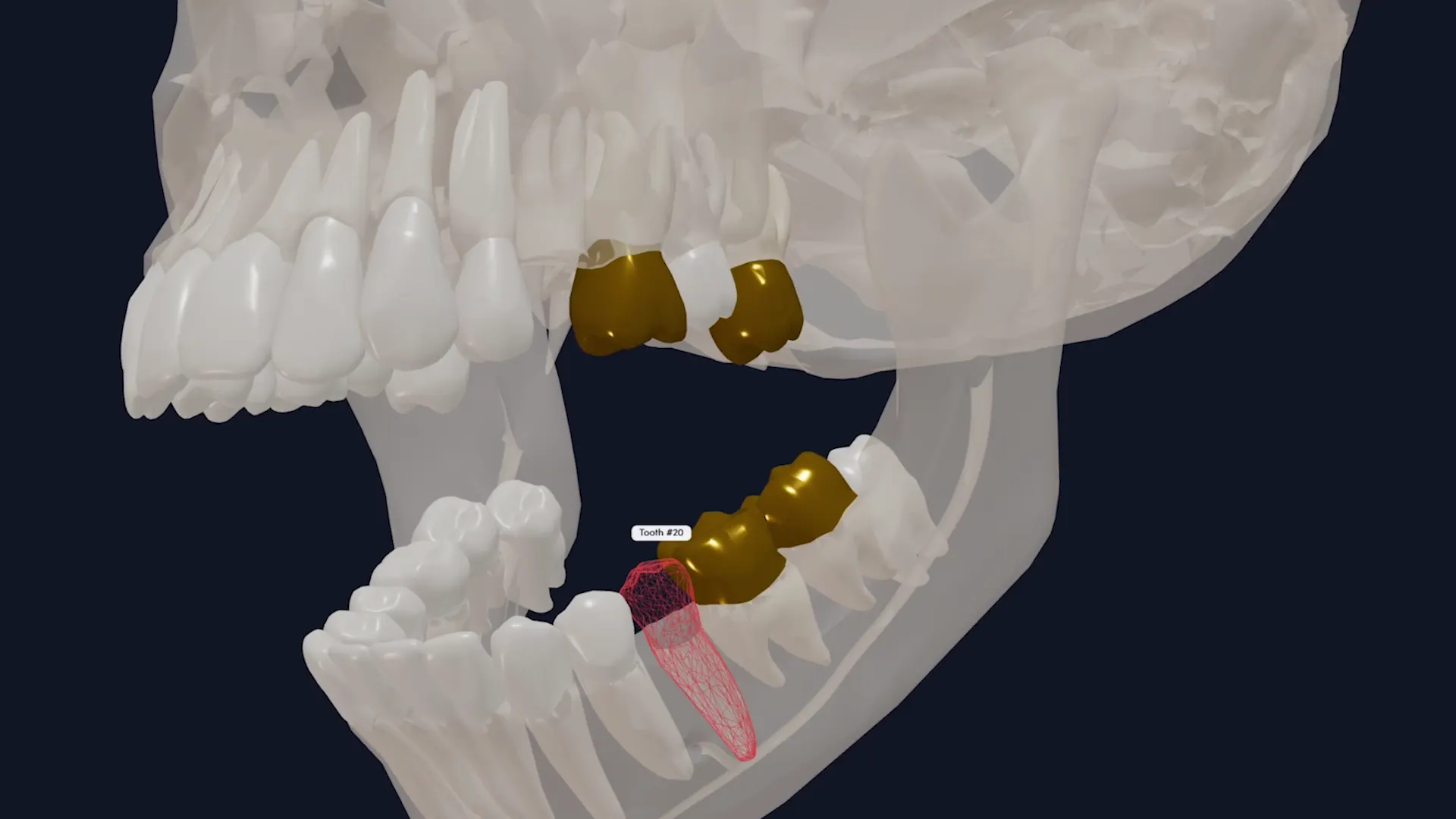
Dental teams can see the mouth as anatomy, then add surfaces, conditions, and treatment where they belong.
Crowns, surfaces, and CDT codes live on the actual tooth, not in a flat list.
The clinic story
The visit gets booked, forms come in, care gets charted, and payment work stays connected to the same record.
Appointments, reminders, and required forms start the work before anyone walks in.
Patients send forms, consent, and files before the visit.
The team opens one record for history, files, and tools.
Notes, findings, orders, and smart review stay close to the encounter.
The same workspace sends the claim to insurance or collects the patient balance.
Messages, files, and open work stay visible after the visit.
One record
Notes, files, labs, imaging, messages, encounters, payments, and specialty tools stay attached to the same chart.
What you can do
Each tool is close to the patient record, so the work feels connected instead of scattered.
Collect forms, consent, uploads, and insurance details before the patient arrives.
Save time with Note Studio to create templates, add history, codes, medications, and diagrams.
Run the visit, track findings, orders, follow-up, and what still needs action.
Seamlessly send claims, manage billing, and ensure complete revenue capture.
Patients can seamlessly view labs, sign consent, share files, and more in their patient portal.
Use the body map to get a holistic picture of a patient's medical history.
Take the next step
Watch the product in motion, begin setup, or talk through your clinic needs with the team.